
Last Updated on July 21, 2026 by Sam Thompson
The best online course builder depends on your budget, tech skills, and business model. A fitness coach launching their first course has different needs than an enterprise training team rolling out compliance programs. That said, you came here for concrete picks, so let’s cut straight to the recommendations that work for most creators in 2026.
-
Thinkific – Best beginner‑friendly platform with a 30‑day free trial (paid plans from $49/month)
-
Kajabi – Best all‑in‑one platform for established brands, from $149/month (Basic)
-
LearnWorlds – Best for interactive video and professional training, from $29/month (Starter)
-
Kartra – Best for sales funnels and marketing‑focused creators, from $99/month (Starter)
-
FreshLearn – Best budget all‑in‑one option, from $0/month (Free plan with limits; Pro from $49/month)
All of these tools are proven, secure, and widely used by creators earning everything from side income to seven-figure online course businesses. Each has a free trial so you can test before committing.
| Platform | Best For | Starting Price (monthly) | Free Trial / Plan |
|---|---|---|---|
| Thinkific | Beginners (course creation) | $49/mo (Basic) | 30-day free trial (no permanent free plan) |
| Kajabi | Established brands (all-in-one business) | $179/mo (Basic) | 14-day free trial |
| LearnWorlds | Professional training (interactive) | $29/mo (Starter) | 30-day free trial |
| Kartra | Funnels / marketing-focused creators | $119/mo (Starter monthly) / $99/mo (annual) | 14-day trial (often $1) |
| FreshLearn | Budget all-in-one (0% fees) | $0 (Free plan), $49/mo (Pro) | Free plan + 14-day trial |
What is an online course builder?
An online course builder is software designed to help you plan, create, host, and deliver structured online lessons to students. Think of it as your virtual classroom infrastructure—handling everything from video hosting to payment processing so you can focus on teaching instead of troubleshooting tech.
Good course builders in 2026 include features like drag and drop editors for curriculum design, built-in video hosting, payment processing through Stripe and PayPal, certificates of completion, community spaces, and advanced analytics to track student progress.
Using a dedicated course builder instead of cobbling together WordPress, YouTube, and email tools saves 40-50+ hours of tech setup for first-time creators. A coding instructor, for example, can go from idea to published course in a single weekend using templates rather than spending weeks connecting different systems. A fitness coach can easily create and sell courses with video workouts, downloadable meal plans, and progress quizzes—all under one roof.
Here’s how to think about the four main types of course building options:
- Pure course builders focus primarily on the learning experience (lessons, quizzes, certificates) and may require external tools for marketing
- All in one platforms combine courses, website, email marketing, and sales funnels in a single subscription
- WordPress LMS plugins give you full control over your site but require hosting and technical management
- Marketplaces like Udemy provide built-in audiences but control your pricing and branding
Understanding these categories will make deciding between platforms a lot easier.
What are 4 types of online course builders?
Nearly all course creation tools fall into four types. Picking the right type first eliminates 80% of the noise and helps you focus on platforms that actually match your situation.
- Hosted all in one platforms (Kajabi, Kartra, Thinkific) – These include course creation, website building, email marketing, and sales funnels in one place. Ideal for solo founders who want everything under one roof without juggling multiple subscriptions. You pay more monthly but save time on integrations.
- Dedicated course platforms (LearnWorlds, Teachable, FreshLearn) – Strong teaching tools with best features for student engagement like interactive video, quizzes, and certificates. Sometimes lighter on built-in marketing, but they integrate well with external email and CRM tools. Great for instructors who prioritize the learning experience.
- WordPress LMS plugins (LearnDash, LifterLMS, MasterStudy LMS) – Best for those already running WordPress sites who want full design control and long-term ownership of their tech stack. Requires managing hosting, security, and updates yourself.
- Marketplaces (Udemy, Skillshare, Coursera) – They bring the audience but control prices and branding. Good for lead generation, validating course topics, or first-time creators testing demand before investing in their own website.
If you don’t have a website or email list yet, start with an all in one or hosted platform, not a plugin or marketplace.
Best hosted online course builders
Hosted platforms take care of everything technical for you—no server management, no coding required, automatic updates, and built-in payment processing. You sign up, build your course, and start selling.
This section provides in-depth reviews of four leading options: LearnWorlds, Thinkific, Teachable, and FreshLearn. Each review covers who the platform is best for, standout features, ease of use, and realistic 2026 pricing including annual discounts where available.
The goal here is practical and experience-driven. No hype—just what each tool actually feels like when you’re building your first course.
LearnWorlds – Best interactive online course builder & LMS
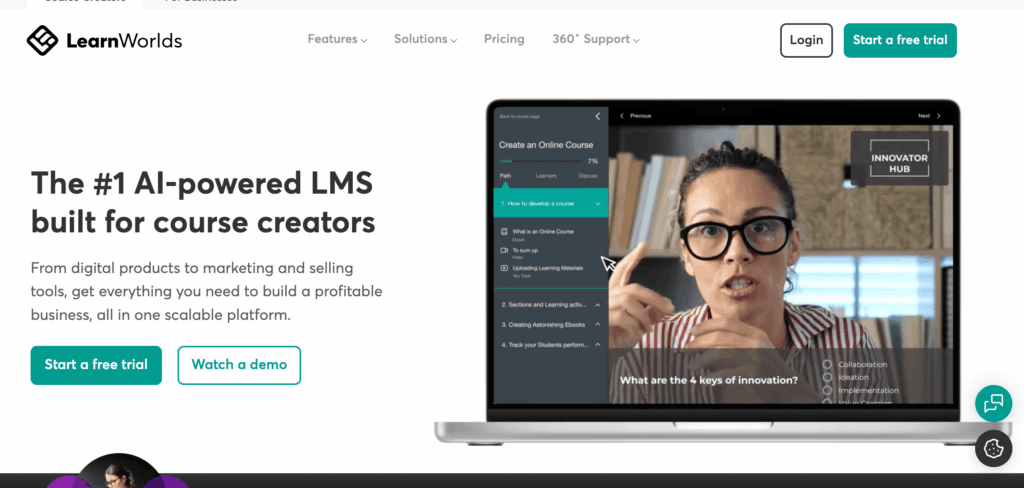
LearnWorlds has developed a reputation as the go-to choice for professional trainers, coaches, and corporate academies who care deeply about learner engagement. By 2026, it’s become one of the best online learning platforms for creators who want more than basic video delivery.
Standout features:
- Interactive video with clickable hotspots, in-video questions, and automatic transcripts
- SCORM support for corporate and compliance training (rare among creator-focused platforms)
- Built-in community features for discussion forums and peer learning
- Notes and highlights that students can save and export
- Interactive eBooks for text-based learning content
- Advanced analytics tracking completion, engagement, and assessment performance
The onboarding experience is straightforward. The dashboard uses left-hand navigation with clear sections for courses, students, marketing, and settings. A beginner can realistically publish their first course within a weekend using the provided templates.
2026 Pricing:
| Plan | Monthly (Annual Billing) | Key Features |
|---|---|---|
| Starter | ~$29/month | Unlimited courses, basic features, 24/5 support |
| Pro Trainer | ~$99/month | Advanced assessments, integrations, priority support |
| Learning Center | ~$299/month | Multiple instructors, white-labeling, custom domain |
LearnWorlds offers a 30-day free trial with no credit card required, and annual billing saves roughly 20%. Choose LearnWorlds if you care most about learner engagement, assessments, and creating advanced course content that keeps students actively participating rather than passively watching.
Thinkific – Best beginner-friendly online course platform
Thinkific is a well-established, beginner-friendly online course platform with a long track record. Launched in the mid-2010s and widely adopted by 2026, it powers tens of thousands of online schools across coaching, education, and small business niches.
While Thinkific no longer offers a permanent free plan, it remains one of the easiest platforms for beginners to get started thanks to its 30-day free trial on paid plans. This gives new creators enough time to build a course, explore the dashboard, and validate an idea before committing financially. Combined with its clean interface and strong core features, Thinkific is often a first step into online course creation.
Key features
- Drag-and-drop course builder for video, text lessons, and downloadable content
- Quizzes and assignments for learner assessment
- Certificates of completion
- Basic community features for student interaction
- Upsells, order bumps, and bundles at checkout
- Thinkific Analytics for tracking student engagement and course sales
2026 Pricing:
| Plan | Monthly Cost | What You Get |
|---|---|---|
| Basic | ~$49/month (or ~$36/mo annually) | Unlimited courses and students, email & chat support, custom domain |
| Start | ~$99/month (or ~$74/mo annually) | Everything in Basic, plus certificates, bundles, memberships, advanced sales |
| Grow | ~$199/month (or ~$149/mo annually) | Everything in Start, plus advanced analytics, bulk enrollments, priority support |
| Thinkific Plus | Custom pricing | Enterprise features, custom onboarding, dedicated support |
Thinkific also offers its “Fast Track” program, which helps creators launch their first course in about 30 days with guided steps and resources. Overall, the platform is best suited for coaches, small businesses, and first-time course creators who want a reliable, easy-to-use solution without needing technical expertise.
Teachable – Simple online course builder with huge creator base
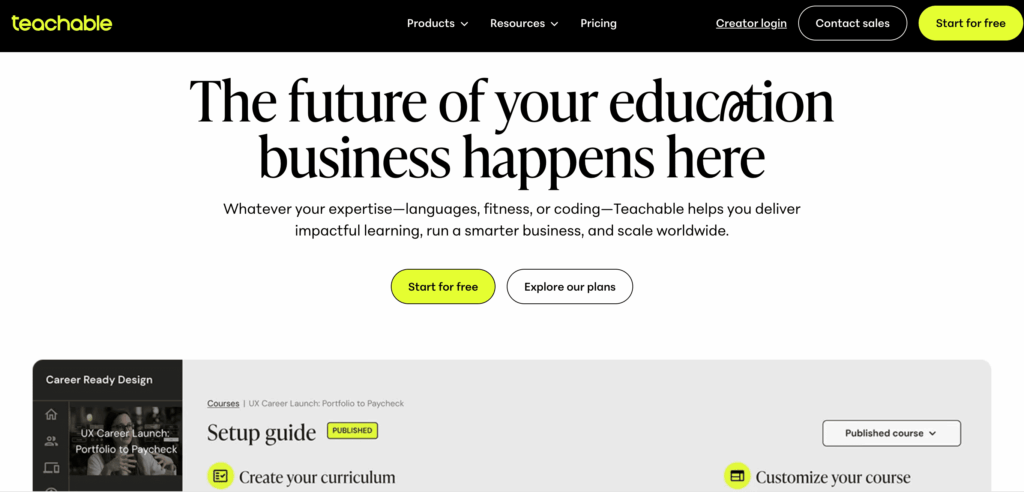
Teachable is one of the earliest mass-market course builders, with a large creator base and significant payouts to instructors over its history. Its focus remains simplicity — making it easy for teachers to build and sell courses without technical headaches.
Course creation experience:
- Upload video content, PDFs, audio files, and more
- Organise lessons into modules with a curriculum builder
- Basic quizzes and drip content to pace student progress
- Checkout focused on selling standalone courses and bundles
Key pros:
- Polished sales pages that convert well out of the box
- Fast setup with minimal tech skills required
- Strong affiliate features to grow sales
- Built-in payment processing with global currency support
2026 Pricing:
| Plan | Monthly Cost (Approx) | Transaction Fees |
|---|---|---|
| Starter | ~$39/month (or ~$29/month annual equivalent) | 7.5% transaction fee |
| Builder | ~$89/month (or ~$69/month annual equivalent) | 0% |
| Growth | ~$189/month (or ~$139/month annual equivalent) | 0% |
| Advanced | ~$399/month (or ~$309/month annual equivalent) | 0% |
| Custom / Enterprise | Contact sales | 0% |
Trade-offs to consider:
Teachable’s design flexibility isn’t as deep as WordPress or Kajabi, and advanced funnels or automation often require additional tools. But for instructors who want to focus on content and straightforward selling, Teachable remains a solid choice.
FreshLearn – Best budget all in one online course builder
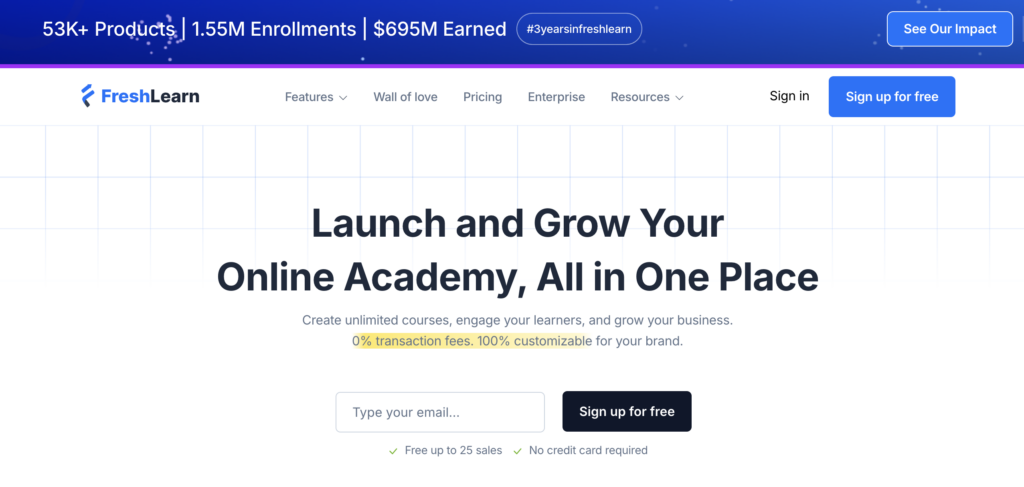
FreshLearn is a fast-growing all-in-one platform founded in the early 2020s. By 2026, it has become a popular choice for solo creators and small teams looking for an affordable platform that combines course creation with marketing tools. Tens of thousands of digital products have been launched on FreshLearn, making it a strong contender for budget-conscious educators who still want professional features.
All-in-One Features:
- Course builder supporting video, text, and interactive elements
- Website pages and landing pages
- Email campaigns and basic automation
- Communities for student engagement
- 0% transaction fees on all plans
Modern Capabilities:
- AI-assisted course outline and quiz generators to speed up course creation
- Drag-and-drop editor for both courses and website pages
- Support for cohort courses, memberships, and digital downloads
- Live classes and webinar integration
2026 Pricing:
| Plan | Monthly Cost (Annual Billing) | Key Features |
|---|---|---|
| Free | $0 | 1 course, limited enrollments, 0% fees |
| Pro | ~$41/mo | Unlimited courses and students, email/chat support, basic automation |
| No Brainer | ~$59/mo | Live classes, certificates, advanced automation |
| No Brainer+ | ~$119/mo | API access, advanced integrations, priority support |
| Enterprise | ~$249/mo | Custom onboarding, dedicated support, large-scale features |
Best all in one online course builders (course + website + marketing)
All in one builders replace separate subscriptions for your website, funnel builder, email service, and course platform with a single monthly fee. They’re ideal if you’re start building from scratch and want everything integrated from day one.
The trade-off is clear: you pay more per month, but you avoid juggling 4-6 subscriptions and dealing with complex integrations. For many course creators, that time saving alone justifies the investment.
Kajabi – Premium all in one builder for brands and 7-figure businesses
Kajabi, launched in 2010, has become the go-to platform for six- and seven-figure course creators. It’s designed for experts ready to invest in a polished, professional online school that can scale without needing technical expertise.
Core Modules:
- Products: Courses, coaching programs, memberships, podcasts
- Pipelines: Visual sales funnels with templates for webinars, launches, and evergreen offers
- Email Campaigns: Broadcasts, sequences, and automation triggered by student behavior
- Website: Full site builder with professional themes and a template marketplace
Kajabi also provides Wistia-powered video hosting, landing pages, checkout with upsells, and a branded mobile app for students. You get a professional, cohesive platform without touching code.
2026 Pricing:
| Plan | Monthly Cost (Annual Billing) | Highlights |
|---|---|---|
| Basic | ~$143/mo | 3 products, 3 pipelines, 10,000 contacts, 1 website |
| Growth | ~$199/mo | 15 products, 15 pipelines, 25,000 contacts, 1 website, advanced automations |
| Pro | ~$399/mo | 100 products, unlimited pipelines, 100,000 contacts, 3 websites, advanced features |
All plans include a 14-day free trial, and annual billing saves roughly 20%. Kajabi is ideal for creators ready to invest in scalability, polished design, and robust automation. Many six- and seven-figure course businesses rely entirely on Kajabi to run their operations smoothly.
Kartra – All in one builder focused on funnels and selling
Kartra is a funnel-first all-in-one platform that also delivers courses, membership sites, email marketing, helpdesk support, and calendar bookings. If making sales is your priority, Kartra brings serious firepower.
Marketing Strengths:
- Visual funnel builder with drag-and-drop campaign creation
- Split-testing for pages, emails, and offers
- Advanced email automation triggered by user behavior
- Built-in checkout pages optimized for upsells, cross-sells, and order bumps
- Affiliate management system for recruiting promoters
Course content is delivered through membership areas with protected modules and online lessons. While not as pedagogy-focused as LearnWorlds, it handles info-product courses and coaching programs effectively.
2026 Pricing:
| Plan | Monthly Cost (Annual Billing) | Limits |
|---|---|---|
| Starter | ~$99/mo | 2,500 leads, 1 custom domain, 1 membership site |
| Silver | ~$189/mo | 12,500 leads, 3 domains, 3 membership sites |
| Gold | ~$429/mo | 25,000 leads, 5 domains, 5 membership sites |
Kartra often promotes a $1 14-day trial. It’s ideal for creators who want strong sales funnels, email automation, and checkout optimization. If your focus is high-ticket coaching, webinars, or complex sales automation, Kartra provides the tools to scale efficiently.
Thinkific as an all in one builder (website + course + communities)
While often positioned as a course-first platform, Thinkific can act as an all in one solution for many small businesses. Beyond courses, it provides website themes, sales pages, checkout, and basic communities.
Practical uses:
- Simple front-facing website with your branding
- Course catalog with multiple courses organized by category
- Student dashboard for accessing purchases
- Integrated payments via Stripe or PayPal
- Basic community features for discussion forums
Thinkific’s Fast Track program and templates make it possible to build a complete “mini-school” in a single weekend. Many creators run their entire business here without needing a separate website or CMS.
For advanced businesses, you might eventually connect an external email platform like ConvertKit or MailerLite. But you can comfortably run with just Thinkific at first—especially if your plan is to validate an idea before investing in more complex systems.
Thinkific is “enough” for most solo creators and small teams. You’d typically outgrow it only when you need sophisticated marketing automation or manage a team of multiple instructors.
Academy of Mine – Enterprise-grade online training builder
Academy of Mine is a highly customizable, enterprise-level LMS and course platform used by larger organizations, professional training providers, and industry associations. It’s designed for teams that need full control, compliance tracking, and advanced reporting.
Enterprise Capabilities:
- Multi-tenant portals to deliver courses to different clients or organizations
- Compliance tracking, certifications, and regulatory reporting
- Detailed analytics and performance dashboards
- Custom integrations via API and third-party tools
- Full white-labeling, custom branding, and domain options
2026 Pricing:
- Starting around $599/month, typically billed annually
- Custom quotes are provided based on features, users, and integrations
Academy of Mine is generally overkill for solo instructors or small teams but ideal for HR departments, B2B training companies, compliance programs, and certification bodies. For independent course creators, it’s usually not necessary—but it’s a strong option if you plan to scale into enterprise training.
Best WordPress LMS plugins if you want to own your site
WordPress LMS plugins are best if you already run a WordPress website and care about owning your tech stack, having maximum customization options, and maintaining long-term control over your platform.
The trade-off is responsibility. You’ll need to handle hosting, security, backups, plugin updates, and performance optimization yourself. Factor in costs for quality hosting ($20-50/month), premium themes, and paid extensions when comparing against hosted platforms.
This section covers LearnDash, LifterLMS, and MasterStudy LMS—three proven options for building courses inside WordPress.
LearnDash – Drag and drop WordPress course builder for serious sites
LearnDash is one of the most widely used WordPress LMS plugins, trusted by universities, Fortune 500 companies, and professional educators around the world. It’s ideal for creators who want full control over course design and delivery while leveraging the flexibility of WordPress.
Key Features:
- Visual course builder with drag-and-drop curriculum design
- Focus Mode for distraction-free student learning
- Advanced quizzes with multiple question types, grading, and question banks
- Drip content schedules to release lessons over time
- Certificates and badges for completion
- Built-in discussion forum capabilities via bbPress integration
- Monetization through WooCommerce, MemberPress, or direct payments
2026 Pricing:
- Annual license per site: $199 – $799, depending on site count
- Optional add-ons available for extra features (e.g., advanced analytics, group management)
- No monthly hosting fees, but high-quality WordPress hosting is required
Best For:
Site owners comfortable managing WordPress who want full design freedom, deep customization, and total control over their online courses. LearnDash is ideal if you already have a WordPress site and want to create professional, scalable online courses without relying on hosted platforms.
LifterLMS – Flexible plugin for course and membership sites
LifterLMS is a robust WordPress LMS plugin designed for creators who want full control over courses, memberships, and student engagement. It’s ideal for coaches, agencies, and small training companies building fully branded academies on their own infrastructure.
Standout features:
- Certificates and badges to recognize achievements
- Social learning tools for peer interaction
- Payment options via Stripe, PayPal, and other gateways through add-ons
- Recurring subscriptions, course bundles, and memberships
- Built-in content protection and access control
2026 Pricing (Annual Licenses):
| Option | Annual Cost | What’s Included |
|---|---|---|
| Core Plugin | Free | Basic course creation, quizzes, and content protection |
| Individual Add-ons | ~$120/year each | Features like payments, reporting, assignments, and advanced design |
| Universe Bundle | ~$360/year | All major add-ons for one site: payments, certificates, memberships, engagement tools |
| Infinity Bundle | ~$749/year | All add-ons for unlimited sites plus premium support |
Why use LifterLMS:
- Full design freedom and deep customization for WordPress sites
- Excellent for creators who want to combine courses with memberships
- More setup work than hosted platforms, but powerful and scalable once configured
MasterStudy LMS – Modern LMS plugin and theme combo
MasterStudy LMS is a visually modern WordPress LMS that combines a plugin with a dedicated theme. Powered by Vue.js for smooth, responsive interfaces, it lets you launch a professional Udemy-style online academy quickly without heavy design work.
Key features:
- Course catalogs with filtering and search for easy navigation
- Multi-instructor support with detailed instructor profiles
- Quizzes, assignments, messaging, and announcements for learner engagement
- Group courses and cohort management
- Live streaming support (Pro version)
- Udemy course importer to migrate content (Pro version)
2026 Pricing:
- Core Plugin: Free – basic course building, quizzes, and lessons
- Pro Version: ~$149/year (single site) – WooCommerce integration, certificates, additional lesson types, live streaming, and advanced engagement tools
- Higher Tiers: ~$299/year (10 sites), ~$599/year (unlimited sites)
Why choose MasterStudy LMS:
- Quick setup for a visually appealing, professional academy
- Combines plugin and theme for a ready-to-go design
- Ideal for creators who want self-hosted WordPress control with modern UI features
Online learning marketplaces as “course builders”
Marketplaces aren’t traditional course builders, but they do offer course creation tools and provide a “fast start” path because they come with built-in audiences of millions of learners.
The trade-offs are significant: you have less control over pricing and branding, revenue share models can be steep, and competition is fierce. However, you gain instant exposure without building an audience from scratch.
Marketplaces work well for validating course topics, growing an email list, and generating leads. Many instructors later migrate premium versions of their courses to their own website and platform.
Udemy – Massive marketplace for general and business courses
Udemy is one of the largest course marketplaces with over 40 million learners and tens of thousands of courses covering everything from Excel to yoga.
Course creation experience:
- Upload video content, PDFs, and quizzes
- Use Udemy’s curriculum builder to organize modules
- Submit for quality review before publishing
- Access promotional tools and Udemy’s marketing reach
2026 Revenue model:
| Sale Source | Instructor Share |
|---|---|
| Organic (Udemy finds the student) | ~37% |
| Instructor coupon/referral | ~97% minus fees |
| Udemy promotions | Variable |
Udemy controls list prices and runs heavy discounts (the famous $9.99 sales). This bothers some instructors but brings massive volume.
Pros: Instant exposure, built-in reviews and ratings, no hosting costs, accessible to anyone Cons: Limited control over pricing and branding, lower average revenue per student
Udemy is best for beginners testing topics, freelancers building authority, and instructors comfortable with volume-based income rather than high-ticket sales.
Skillshare – Project-based platform for creatives
Skillshare is a subscription-based learning platform focused on creative skills: design, illustration, writing, photography, video production, and more.
How it works:
- Instructors build short, project-driven classes (typically 15-60 minutes total)
- Students watch and complete a class project
- Students share work for community feedback
- Earnings are based on minutes watched by premium members, plus referral bonuses
Benefits: Engaged creative community, simple class builder, strong discovery through curated lists and categories
Skillshare functions more as a side-income and audience-building channel than a high-ticket course platform. It’s excellent for creative professionals who want exposure and don’t mind the subscription model. Many teachers use it alongside their own website to bring in new students.
Coursera & Codecademy – Academic and coding-focused options
Coursera operates through partnerships with universities and major companies, offering structured programs like Specializations, Professional Certificates, and even online degrees. Individual creators typically can’t sign up solo—you work through institutions or formal partnerships.
This model suits academics and industry experts who can leverage institutional relationships but isn’t practical for independent course creators.
Codecademy is an interactive coding platform teaching HTML, JavaScript, Python, and more through in-browser coding environments and step-by-step exercises. While not a typical “course builder” open to all creators, it demonstrates what niche, highly interactive learning platforms can look like.
For most independent creators, start with hosted platforms or marketplaces like Udemy and Skillshare. Coursera-style partners require institutional backing that takes time to develop.
How to create and sell an online course with a builder
Tools matter, but process determines success. Here’s a clear roadmap from idea to first sale that works regardless of which course builder you choose.
Step 1: Validate your topic
Before creating anything, confirm people will pay for what you want to teach. Research bestsellers on Udemy and Skillshare. Look at search volumes using free tools. Browse Reddit and Facebook groups to see what questions people repeatedly ask. If there’s active demand and existing competition, you’re onto something.
Step 2: Define learning outcomes
List 3-7 concrete skills or results learners will gain access to by completing your course. Be specific: “Create a complete monthly budget spreadsheet” beats “Understand budgeting.” These outcomes become the foundation of your marketing copy later.
Step 3: Choose the right course builder type
Use the framework from earlier:
- New to tech with no website? → Hosted all in one platform
- Want maximum control? → WordPress LMS
- Testing demand? → Marketplace
- Budget tight? → Free tier on Thinkific or FreshLearn
Step 4: Outline modules and lessons
Keep videos short (3-10 minutes each). Mix formats: video, text lessons, downloadable worksheets. Add quizzes or projects at logical checkpoints. A great course feels like a guided journey, not a content dump.
Step 5: Record and upload content
You don’t need expensive gear. A USB microphone ($50-100), your laptop webcam or phone, and basic lighting (a window works) produce professional-enough video content. Course builders handle video hosting and file organization automatically.
Step 6: Set pricing and offers
Some heuristics based on course length and value:
- $29-99 for short intro courses or smaller courses
- $199-499 for flagship programs with comprehensive content
- $500+ for cohort courses with live elements and coaching
Many creators offer discounts for launch pricing or bundle multiple courses together.
Step 7: Launch and market
Start simple:
- Email your list (even if it’s small)
- Post in relevant communities where you’ve built credibility
- Set up a basic sales page or funnel using your builder’s templates
- Consider an affiliate program to let others promote for you
Key mindset: Start with a “minimum viable course”—short but complete. Improve it based on student feedback rather than waiting for perfection. Join thousands of creators who’ve discovered that launching beats endless planning every time.
Key criteria to choose the best online course builder for your business
Every tool can technically work. But misalignment with your needs wastes months and money. Use these criteria to narrow down to 1-2 platforms worth testing.
Budget and pricing
| Your Situation | Recommended Range |
|---|---|
| Testing an idea | Free plans (Thinkific, FreshLearn) |
| Serious but budget-conscious | $29-49/month (LearnWorlds Starter, Thinkific Basic) |
| Ready to invest in growth | $99-199/month (Kajabi, Kartra, higher tiers) |
Don’t forget hidden costs: transaction fees on some plans, add-ons for certain features, and external email tools if your platform lacks strong email marketing.
Tech comfort and control
- Non-technical → Hosted builders (Thinkific, Kajabi, Teachable)
- Enjoy tinkering → WordPress LMS (LearnDash, LifterLMS)
- Want full control but hate setup → All in one with strong templates (Kajabi)
Marketing tools
Creators planning advanced sales funnels and automation should lean toward all in one platforms (Kajabi, Kartra) or platforms with strong integrations. If you’re basically just selling a straightforward course, simpler options work fine.
Course complexity
- Simple video courses → Almost any platform
- Assessments and certificates → LearnWorlds, Thinkific Pro+, LearnDash
- SCORM compliance → LearnWorlds, Academy of Mine
- Cohort courses with live classes → FreshLearn, Kajabi, LearnWorlds
Branding and student experience
Look for white-label options, custom domain support, branded mobile app capabilities, and community features if building a long-term brand matters to you.
Action step: Shortlist 2 platforms, take their free trials in the same week, and build a small sample module in each to feel the difference. Privacy and security are handled well by all major platforms, so focus on usability and fit.
Best online course builder FAQ
What is the best online course builder overall in 2026?
It depends on your situation. Kajabi or Kartra for all in one needs. Thinkific or FreshLearn for budget-conscious creators. LearnWorlds for engagement-focused professional training. There’s no single “best”—only best for your specific requirements.
Which course builders offer certificates?
LearnWorlds, Thinkific (on paid plans), Kajabi, Kartra, and most WordPress LMS plugins support certificates. Many allow custom certificate designs with your branding and student name.
What is the cheapest way to start building courses in 2026?
Either use a free hosted plan (Thinkific, FreshLearn) or launch on a marketplace (Udemy, Skillshare) for $0 upfront. Both let you validate your course topic before investing in paid platforms.
Can I switch course builders later?
Yes, but it takes effort. You can typically export videos, downloads, and student email lists. Some platforms like FreshLearn and Thinkific Plus offer migration support. The harder parts are recreating course structure, quizzes, and integrations. Choosing wisely upfront saves real hassle.
Do I need coding skills to use online course platforms?
No. All hosted platforms (Kajabi, Thinkific, LearnWorlds, Teachable, FreshLearn, Kartra) are designed for non-technical creators. WordPress LMS plugins require slightly more comfort with technology but still no actual coding for basic use.
How long does it take to create my first course?
With templates and a clear outline, you can build and publish smaller courses in a weekend. More comprehensive programs typically take 2-4 weeks of focused work. The creation process gets faster with experience.
Final thoughts
Research is fun, but it doesn’t earn revenue. Pick a platform this week—any of the options above will work—and start building your first 3-5 lessons. The best online course platform is the one you actually use to launch. Your future students are waiting.